Scrapbook Photo Cropping?
Crop Your Photos? Yes!
A Scrapbooking Basic
Scrapbook Photo Cropping may be something that you are not comfortable with. You NEVER have to crop your Scrapbook photos, but there may come a time that you will want to for several reasons.
But first a small warning about Scrapbook Photo Cropping: Don't ever crop your older photos that you can't replace. First, get them reproduced and crop the newer version. Don't crop off anything that may be pertinent to the photograph at a later date. Scrapbook Advice Tip: Never cut the Polaroid photos as I understand they will eventually bleed the chemicals used in the development of those photos.
Why Would You Crop Your Photos?
To Fit Your Photos on Your Photo Mattes.
The first reason for Scrapbook Photo Cropping may be just to
fit your photos onto a photo matte. You have cut some mattes or purchased some that are 4" x 6" and your photos are the same size. If you cut off either the top or bottom edge by 1/4 inch and either the right or left side edge, you photo will fit that matte very nicely leaving 1/8" of the matte to show under the photo. No one will know you have been Cropping Photos in this case.
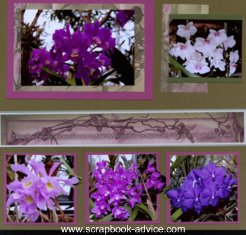
Scrapbook Advice Tip: This layout had the three photo mattes at the bottom that were 3 & 1/2 inches square. The flowers in the photos were just a little too big to fit, so instead of cutting the blooms, I cut around them and they peek outside the matte just a little. Make it FIT!
You Have an Extra Photo You Want to Use.
The second reason for Scrapbook Photo Cropping may be to
fit an extra photo onto a page layout. You are fitting your photos onto the page and you have just one more to fit in. It's not enough to make an additional layout, so you look at the rest of the photos and see what part really doesn't show much, trim those, and you may be able to squeeze them all on the page.
To Vary the Size & Shape of Your Photos.
Another reason for Scrapbook Photo Cropping may be because all the photos are horizontal in nature and you want to
vary the shape and size of the photos which can certainly add interest to your layout.
Add Scrapbook Embellishments.
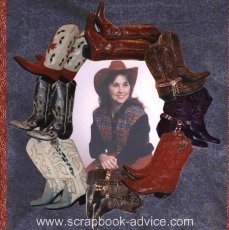
I was trying to show a Western Boot Collection, but had a hard time finding Boot stickers or charms, so I
photographed my boots and did some Photo Cropping to make this frame.
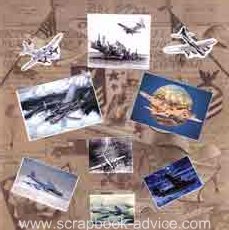
Here is another instance of Scrapbook Photo Cropping for embellishments. I was working on a page for my dad who used to fly B-17's. I found these 2 photos and decided to cut out around the airplanes to use as embellishments to go with the rest of the small photos.
Artistic Reasons.
Lastly, you may want to crop strictly for
artistic reasons. Cropping into
different shapes, like stars or circles or flower shapes, or leaf shapes. Maybe crop the photo into a word.
When I first started scrapbooking, I was horrified at the thought of cropping my photos. But I do it quite often now practically without even thinking about it. In fact, I think
Photo Cropping is fun now.Here are a few examples of some of the photos I purchased as die cuts that got me started with Scrapbook Photo Cropping.


Here are a few examples of some of the photos I have cropped.
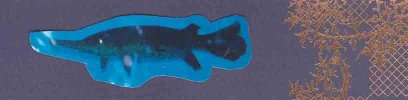
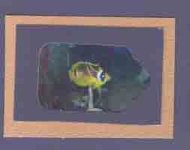
Above: This is a tiny section of a photo that I took at the Aquarium and some of the individual fish were not in focus and there was a bit of reflection from the glass, but I didn't have another shot of this particular fish so I cut around it with scissors and mounted it directly to the page.
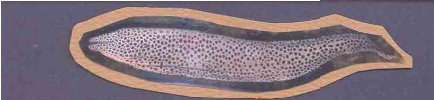
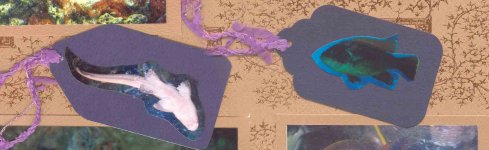
Above: This was the same idea, but this time I cut a photo matte, also by hand, with the scissors. The matte was a scrap I had left over from the same paper as the other mattes on the page.
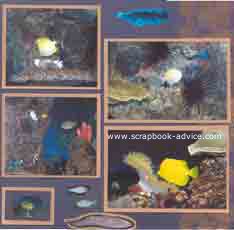
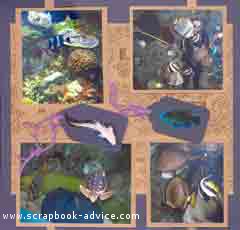
These two layouts above, use the various cropped images highlighted here, plus a couple of others.
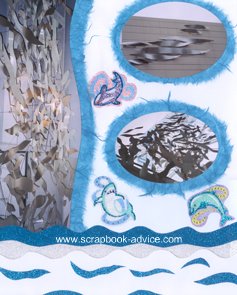
All the photos of Aquarium Art Work on this page were cropped.
The photo on the left was cropped to make an interesting border with a wavy edge.
The other two photos were cropped in an oval shape and matted with Mulberry paper torn in the same oval shape.
You can use Photo Cropping to add to the layout design.
Your Photo is not Perfect.
Additionally, you have taken a photo and most of is if good. But, there may be a portion that is
out of focus, or a portion that has the
reflection of the flash.
Or, maybe there was
someone or something that was in the photo that you did not notice when you took the photo and you really want to cut it out. The one thing I remember about the wedding photos I took at the beach was the guy in the speedo standing behind the wedding party watching the wedding. We really didn't need or want him in there over the brides head! So he was cropped to the trash can.

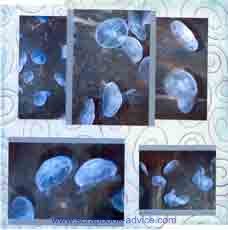
These two layouts above both have cropped photos. All of these photos were taken through the glass aquarium walls which sometimes creates a flash appearance. Other times, it's hard the get the fish to pose like you want them so you end up a lot of water and no fish which I just cropped off.
You Want to Add More Photos.
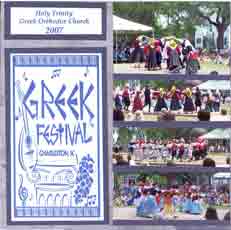
This layout above crops photos again. I had 4 photos of various Greek dancers at the Greek Festival. I sliced off the sky and stacked them one on top of another to squeeze them all on the layout. That program took up a lot of room but the photos of the various dances were important part of the festival.
The layout is a busy one, with a lot of color and a lot of things going on, but was reflective of the event itself.
How Do You Crop Your Photos?
Scrapbook Advice Tips: Photos can be cropped
by hand after they are developed with a photo trimmer, scissors or a craft knife. That is the method used on all of the examples here on this page.
Photos can be cropped with any of your
photo editing software that you may have received with your digital camera or larger software applications. This cropping is done prior to printing the photos.
Some of the higher end digital cameras also allow cropping of photos
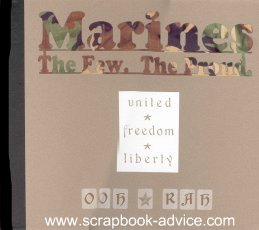
while still in the camera.The page title photos of the Air Force, Navy and Marines were
panoramic photos actually cut with a die cut machine, but this type of thing can also be done by hand.
I hope you have picked up some tips regarding one of the scrapbooking basics - Scrapbook Photo Cropping that you can use on your own layouts.
Move on to Test Fitting Your Layout in the
Scrapbooking for Beginners Quick Start Guide
Check out the Heritage Scrapbooking for over 70 Themed Books & Page Ideas
The entire 10-Step Quick Start Guide
Scrapbook Tutorials & Techniques
Check out the Scrapbooking Layout Gallery
Home Page from Scrapbook Photo Cropping


