Digital Scrapbooking
What is Digital Scrapbooking and what type of products do you need to do Digital Layouts?
My Digital Scrapbook Questions & Problems?
First you will need some access to Digital Scrapbook Programs or Software to manipulate the images. There are a number of Software programs, different Types and Makers of Applications, Different Costs and Different Sizes of Applications to go on your computer and of course they all offer a different set of tools.
Next, you will need Images that you either purchase or make yourself, of typical scrapbook items such as papers, stamps, brushes and embellishments.
Then, to finish up - A Good Quality Printer - and unless you scrap in 8.5 x 11 only, a Wide Format Printer and a good bit of Ink.
And don't forget the Photo Paper which gets pricy and is hard to find in 12" x 12" sizes.
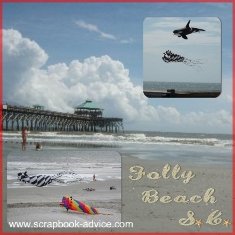
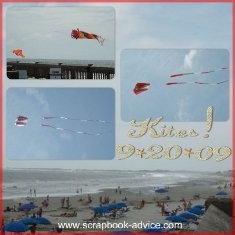
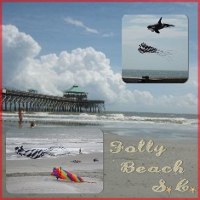
Digital Scrapbooking Tip: One thing I like to do with Digital Scrapbooking, is use an entire photo for background like I have done in these two Beach Scrapbook Layouts. Then I can put smaller photos onto the background where I don't mind covering up part of the larger photo. In this case, the kites were flying anyway, I just located the cropped photos of the kites in the sky portion of the photo I used for the background.
My Digital Scrapbooking Research.
When I first started to look into Digital Scrapbooking methods and Digital Scrapbook Programs, I really didn't know where to start so I did some research.
I went to a several Scrapbook Shows, watched and participated in demonstrations and I checked out some of the Scrapbook Kit Clubs that I was a member of. I went to some Scrapbook shows and events and spoke with sellers of various systems.
I compared Digital Scrapbook Programs and applications by price and tools and even took a couple of graphics classes at local colleges to test drive some applications.


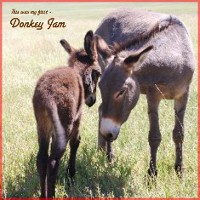
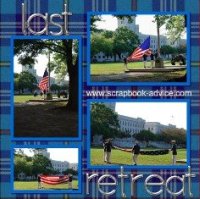
Digital Scrapbooking Tip: For these 2 layouts, I used photos that I stretched to 12 x 12 inches for the background. The left page was just the one photo stretched to 12 x 12 inches. The right page uses a photo of the landscape stretched to 12 x 12, essentially making my own background paper. Then I put the photos of the Donkeys over the background photo in a smaller size, leaving the parts of the background to show what I wanted.
Check out more layouts of the Donkeys at Custer State Park Scrapbook.
My Digital Scrapbooking Solution!
Heritage Makers
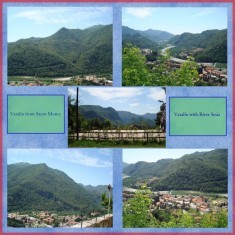
I finally decided on the Heritage Makers System for the following reasons.
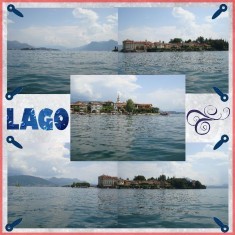
Check out more Italian Scrapbook Digital Layouts.
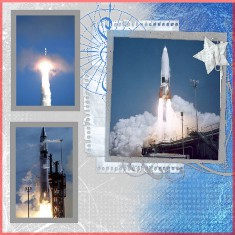
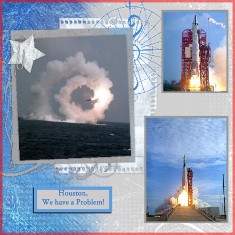
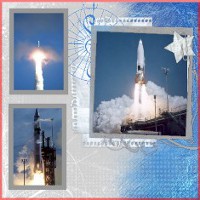
Digital Scrapbooking Tip: Another great thing to do with the Heritage Makers system is to use a pre-made template. These two layouts above contain copies of photos that were in my dad's office when I was a child. I have used a pre-made template from Heritage Makers and just moved my photos into the page. For the companion page, I turned the template 180 degrees to make the opposite image. Total time - about 15 minutes and no scraps to deal with.
Check out more Atlas Missile Scrapbook Digital Layouts for Digital Scrapbook Tips.
Click here to go to my other website - MemoryBookArchitects.comand check out this system for Free.
I am a consultant and can help you with on-line classes and Tips & Tricks to enable you to do almost anything you can do in Traditional Scrapbooking.
These 2 layouts below were actually my first, and only took about 30 minuets to learn the system, upload the photos, and design the layouts.
I have really enjoyed my association with Heritage Makers and I think you will too.

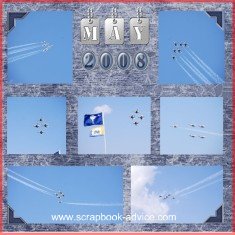
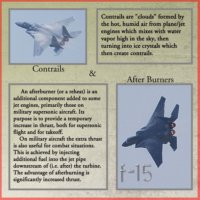
Digital Scrapbooking Tip: Here again, I used an entire photo for background of the Sky with the U S Air Force Thunderbirds soaring upwards. Then I added regular or cropped photos onto the background where I don't mine covering up part of the larger photo. Nice to use a great photo in 12 x 12 size.
More Digital Products Available
Personalized Album Covers - Post Bound
Story Books - You can even design the Covers, Front Back and Inside.
They come in 12" x 12", 5" x 5", 7" x 5", 8" x 8", 7.5"
x 10",11.5" x 8.5", and 13" x 11".
They have also just introduced an 8 x 8 board Book for your youngest with 30 pages.
Also Wire Bound Books - to use for a
Digital Recipe Scrapbook or Appointment Book and a small 20 page Swatch Book.
Cards & Invitations - Greeting Cards come in 5" x 7" and
in some unique 3, 5 & 7 panel Family Fold Cards, Post Cards, Invitations and Decks of Playing Cards.
Prints - Prints come in 8" x
8", 8.5" x 11", and of course the most common 12" x 12".
Posters - come in 12" x 18", 18" x 24"
Canvases - come in 16" x 20", 20" x 20" and 20" x 24" sizes.
Photo Gift Calenders - Two Sizes - 11" x 8.5" and 11" x 16" sizes.
Photo Pendents, Necklaces and Bracelets
The links below will take you to other Digital Scrapbooks and give you an idea of the many different things that can be done with Digital Scrapbooking without having to install and maintain expensive software on your computer.
Check out the U. S. Navy Blue Angels Scrapbook
Checkout the Digital Layouts of the Donkeys at Custer StatePark Scrapbook
Click here to see my Digital St Louis Scrapbook of the Gateway Arch
Click here to see my Digital Italian Scrapbook Layouts
Click here to see my Digital Air Force Scrapbook Layouts
Go. back to Home Page for General Scrapbook Advice
from Digital Scrapbooking


Have a Question for
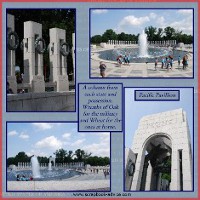
Honor Flight Scrapbook of World War II Veterans to World War II Memorial Atlas Missile Scrapbook Layouts
Cypress Gardens, near Charleston SC
Italian Vacation Ferrari Plant
Retirement Scrapbook Layouts & Ideas
on our Site?
scrapbook-advice.com?

More Examples
of Digital Layouts