Kaleidoscope Kreator Software
A Fun Scrapbooking Tool
You will have fun with this Kaleidoscope Kreator Software available at
Kaleidoscope Kreator.com
which makes beautiful and interesting Kaleidoscopes out of your plain ordinary photos. Years ago when this idea came into being, I tried making these interesting 6-sided images out of my photos - without the software! I would go to the copy center and make 3 copies of my photos and 3 reverse copies. I'd take them home and cut a section of each photo equal to 1/6 of a circle - lots of measuring, fitting, frustration and very time consuming. When this software came out I was very eager to try it. It has been so much fun! Here are a few examples using some photos I took at the Norfolk Botanical Gardens



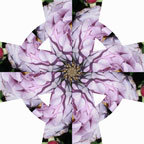
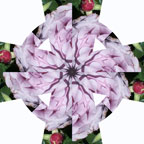
When I took this photo of the Purple Iris with all the greenery, it was really pretty and a rather feeble attempt at being creative. But when the photo was printed, it was lacking a little. OK, a lot. So I loaded it into the Software Program which allowed me to take a section (1/6 actually) and repeat that section six times in a "sun shape" to make the resulting six-sided image.
A simple repositioning of the same photo created the second 6-sided in only a few seconds.

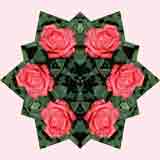
When I took this photo of the Orange Rose, I was looking for the One Perfect Rose. It was Spring time at the Norfolk Botanical Gardens and there must have been millions of them, so finding a perfect one was very easy.
Again, when I loaded the image into the Software, this was the result. A different basic shape but with a more structured shape called "North Star."
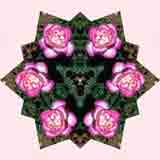
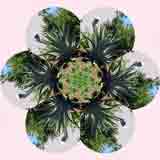
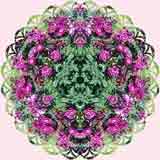
These last four images are just some more interesting examples of all the things you can do the Kaleidoscope Kreator Software, just one of the many and varied advanced scrapbooking tools available on the market today that you can really have some fun with.
Use the scroll bar at the bottom of the box to scroll to the right and see your Amazon Wish List; search for other products; or see product reviews.
When you purchase from this page, you are actually purchasing from Amazon.com. All orders go through Amazon's secure order server.
If you have any questions, please Contact Us.
Click to see the web site for Kaleidoscope Kreator
Back to Scrapbooking Tools
Go Back to Quick Start Guide
Go Back to Home Page for general Scrapbooking Advice
|


