Atlas Missile Scrapbook
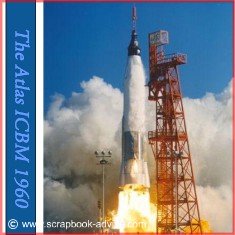
These Scrapbook Layouts from my Atlas Missile Scrapbook Layouts were done using photos that used to be in my Dad's office, and in fact, were around our home when I was growing up.
I had been looking for these photos for a number of years, and finally found the originals. They were very large so I had them scanned and then digitally added to some layouts using the Heritage Makers system for which I am a consultant. Unfortunately I don't know who took the photos.
Below each set of layouts, I will provide a Digital Scrapbook Tip on what feature of the Heritage Makers system I used. I hope these layouts will give you some ideas.
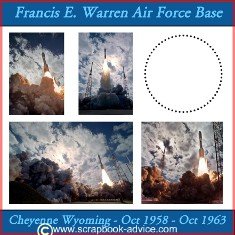
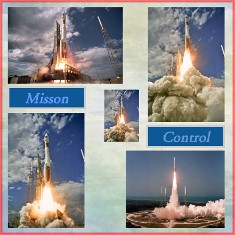
Digital Scrapbook Tips: For this Atlas Missile Scrapbook layout on the left, I used the photo to cover most of my 12 x 12 page with the exception of the title. I believe this was the lift off of the John Glenn Space Flight, but I can't be positive.
For the other layout on the right, I used a plain white background paper. The circle on the right will have a die cut of the earth added, when I receive the printed pages. This layout will be a mix of digital and traditional layout techniques.
________________________________________________
For more information and to preview and try out the Heritage Makers system, please go to my other website,
MemoryBookArchitects.com
________________________________________________
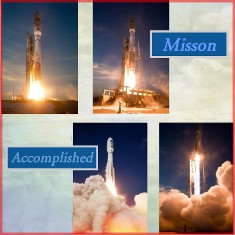
Digital Scrapbook Tips: For these two Scrapbook pages, I used a "paper" from the Heritage Makers background. I did a search for "clouds" and found the paper I wanted to use.
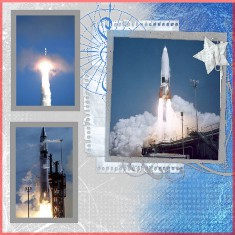
Besides adding the photos, I made titles and have them sit over some of the blank areas of the photos. One of the nice things about the Digital Scrapbooking is moving things from one level to another, just like in Traditional Scrapbooking.
________________________________________________
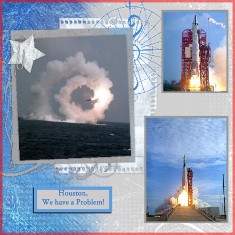
Digital Scrapbook Tips: For these Atlas Missile Scrapbook layouts, I used a template from the Heritage Makers system. For the left side, I used the template as originally provided and for the right side I reversed it 180 degrees to make a mirrored companion page.
I added the photos and added a gray border around the photos to match the gray color in the background.
________________________________________________
I hope these examples with give you some insight into what can be done with Digital Scrapbooking and to let you know that you can also mix the two art forms.
Check out Memory Book Architects for the Heritage Makers System and to try your own digital layouts.
Check out my reasons for choosing the Herigage Makers Digital Scrapbook System.
Go to the Air Force Scrapbook for more digital layouts.
Go to the Air Force B-17 Scrapbook
Go to other MIlitary Scrapbooks.
Go Back to Home Page for more Scrapbook Advice from the Atlas Missile Scrapbook page

|